




The platform
01 / 06
Build tomorrow's roster in minutes, not evenings.
Auto-Scheduling reads your route commitment, checks availability, stands down anyone carrying a recent defect, and hands you a roster to approve.
Week, day and load-out views
40-hour cap enforced before assignment
You approve every shift
How a roster gets built
Five steps, and the last one is yours
Step 01 of 05
Set your route commitment
How many routes each shift type needs, day by day. Copy last week forward.
The scheduler
A week you can read at a glance
Week, day and load-out views of one grid. Hours per driver run down the left, so the forty-hour cap is visible long before it is breached.
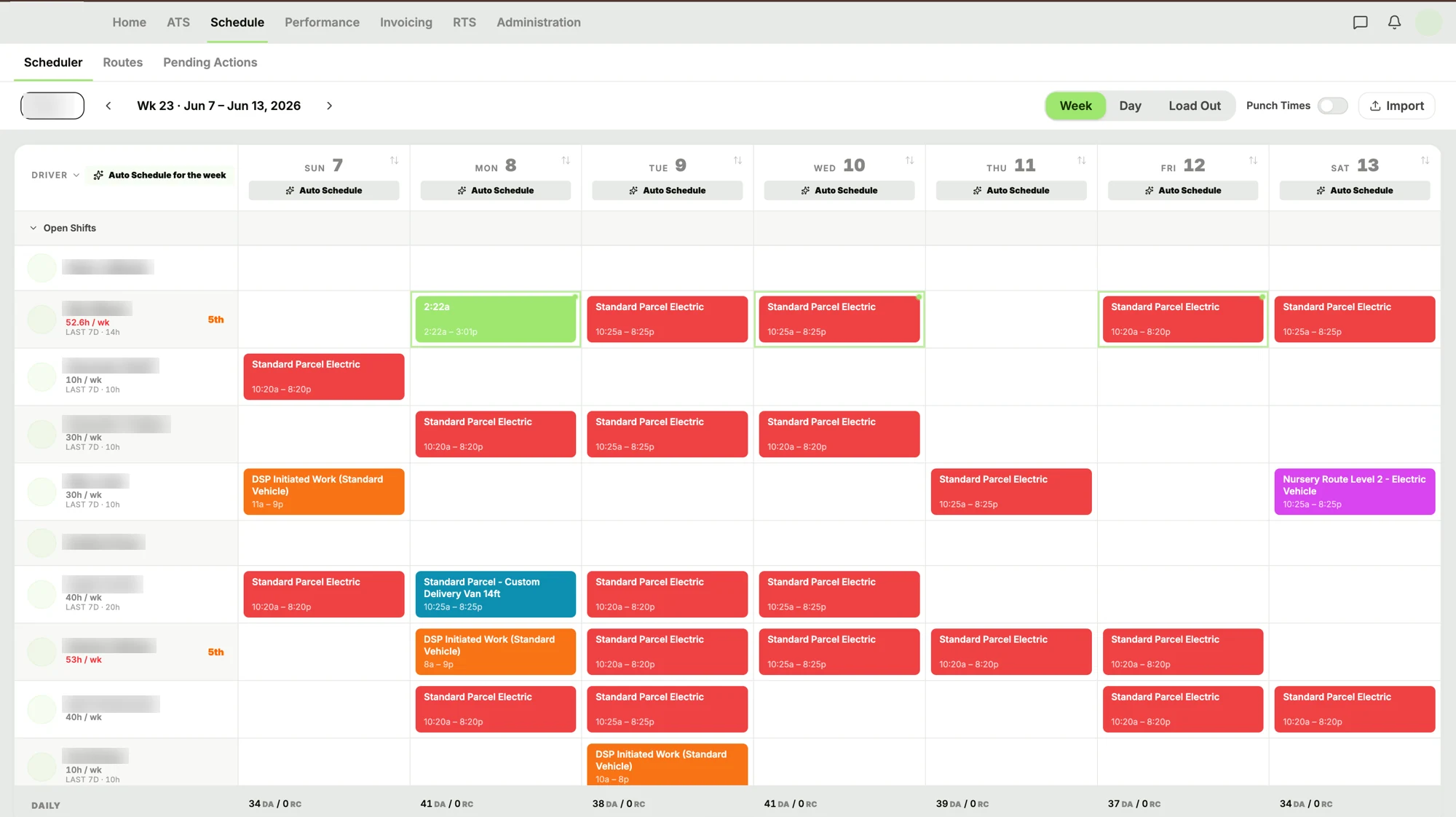
A real station's week. Names, avatars and the station code are blurred.
The eligibility rules
Who it will and won't put on a route
Six rules, run on every driver
- Availability required
- No submission for that date, no suggestion. Silence isn't a yes.
- One shift per day
- Already scheduled that day? Skipped — including shifts you added by hand.
- Forty hours, hard cap
- Counted before the assignment, not caught afterwards on a timesheet.
- Recent defects stand a driver down
- A DCR-impacting return, negative feedback, safety event or failed inspection.
- Ranked by scorecard
- Strongest first. Drivers with no rank yet sort last, not excluded.
- A buffer you control
- Cover your commitment plus a margin, so one callout isn't a crisis.
Scheduling, settled
See a week built in front of you.
Tell us how you schedule today — the spreadsheet, the group chat, the whiteboard — and we'll walk you through the same week arriving ready to approve.