



The platform
05 / 06
The whole day on one screen.
Roster, safety, quality, fleet, incidents and expiring licenses — every panel loads on its own, so the page is never blank while you wait.
Nine panels, loaded in parallel
Five roles, eight access areas
Every station in one account
A morning on the platform
Open it and know where you stand
Step 01 of 05
Open on the day
Roster, commitment, safety, fleet and expiring licenses on the first screen.
The operations dashboard
Everything arrives together
Standing, compliance, safety and quality on one screen. The right-hand rail reads the last seven days against the seven before it, in plain sentences.
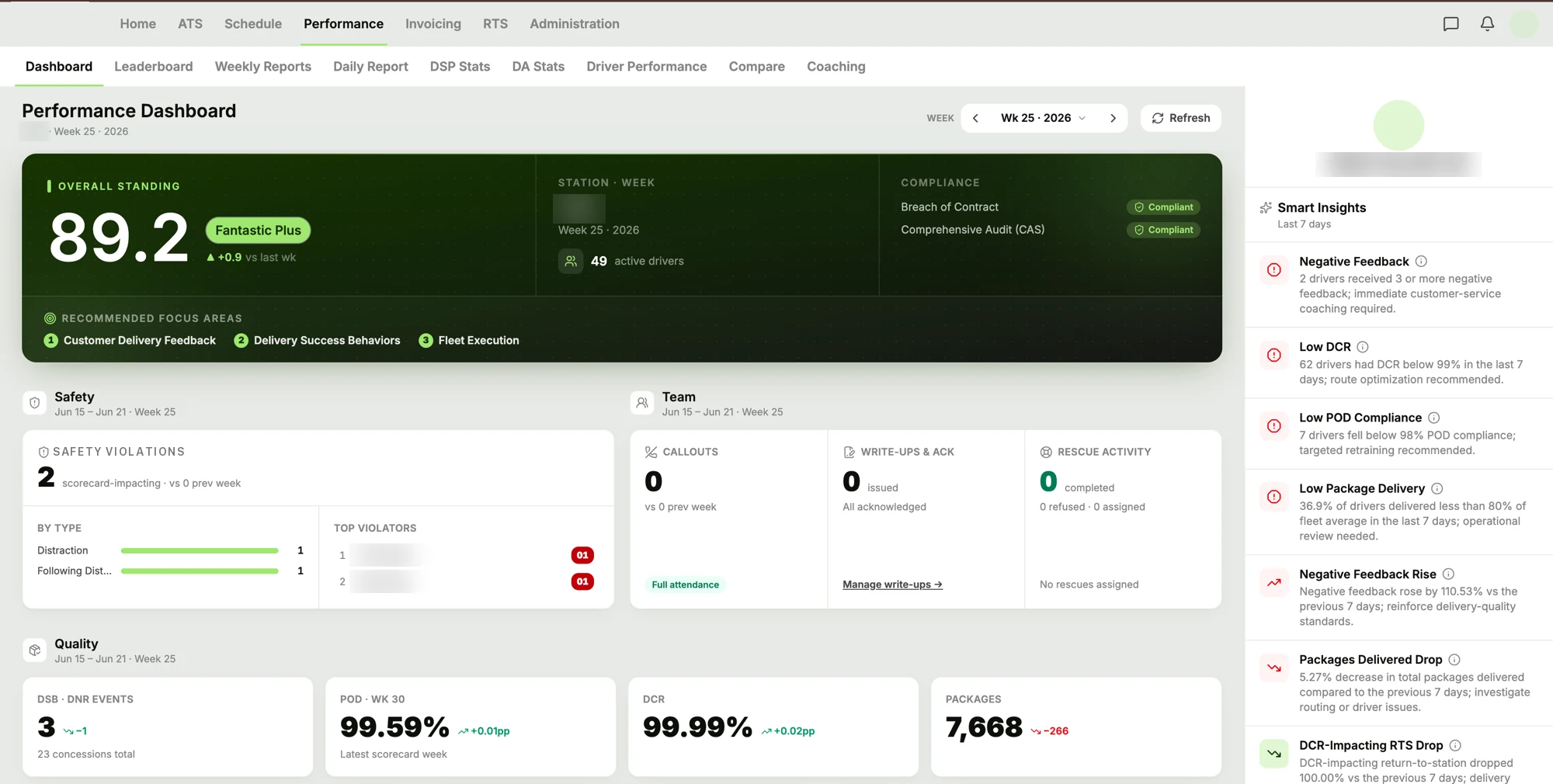
A real station's week. Names, codes and the company are blurred.
On the first screen
What loads before you click anything
Loads in parallel
- Today's roster
- Who's scheduled, who's confirmed, and where the gaps are before the wave.
- Commitment vs allocation
- Routes you committed to, next to routes that actually have a driver.
- Safety and quality
- The week's movement on the metrics your scorecard is built from.
- Fleet status
- Active, in repair, idle — and what's coming due for maintenance.
- Licenses expiring
- Drivers lapsing inside your warning window, before it's a problem.
- Incidents and pending actions
- Anything reported and unresolved, and anything awaiting your answer.
One screen
See your operation the way it looks on one page.
Tell us what you check every morning and where you check it, and we'll walk you through the same information arriving together.